How to Delete Your Account on Khaime

Follow the steps below to permanently delete your Khaime account along with all related data.
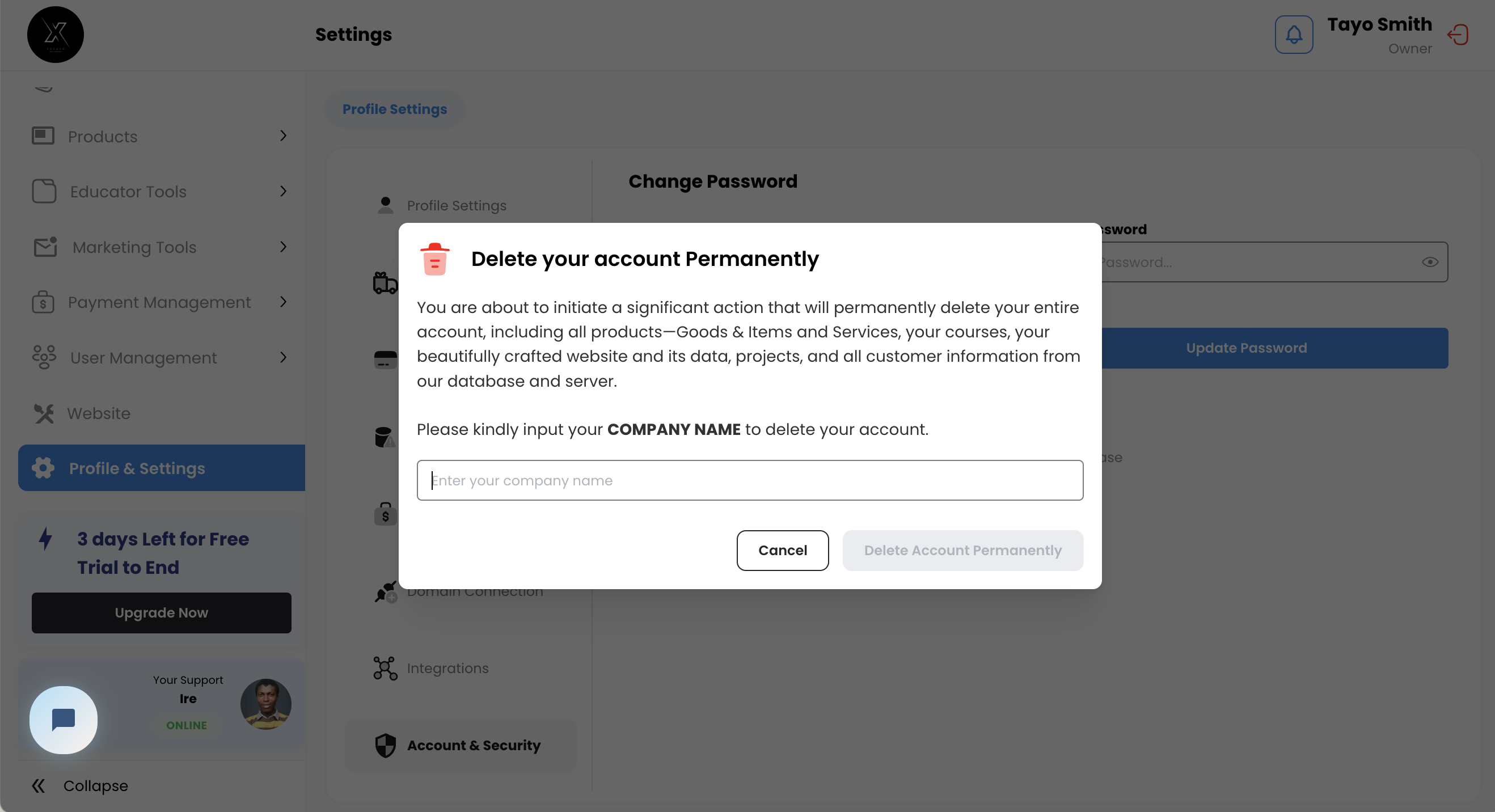
Steps to Delete Your Khaime Account
1. Go to the Settings Page
Log in to your Khaime account and navigate to the Settings page from your dashboard.
Scroll down to Account & Settings tab and find the Delete Account button under the "Account Management" section.
2. Confirm Your Decision
Click the Delete Account button. A confirmation message will appear:
"Are you sure you want to delete your account? All data related to your company will be wiped off completely."
3. Verify Your Identity
Enter your company name to confirm that you are authorized to delete the account.
Check your email for a verification code, then enter the code in the provided field.
4. Delete Your Account
Once the verification code is entered and confirmed, click the Confirm Deletion button.
All account data, including your company’s information, will be permanently deleted. This action is irreversible, so ensure you’ve backed up any important data.
Important Notes
Data Deletion: Once the account is deleted, all associated data will be removed from our servers, including your company details, transactions, and other records.
Recovery: Deletion is permanent. If you wish to use Khaime again, you will need to create a new account.
Security Measures: The double confirmation process (company name and email code) is in place to protect your account from unauthorized deletions.
Check for Typos: Ensure that there are no extra spaces or incorrect details in your CNAME record, especially in the "Points to" field.
Check DNS Status: You can use online tools like whatsmydns.net to check if your CNAME record has propagated globally.
If you run into any issues or need further assistance, don’t hesitate to reach out to our support team at support@khaime.ai.
We are always happy to help.
This is